2016 MacBook Pro

With so many tech “reviews” out there in all forms - text, video, audio etc., I’ve decided that instead of writing a review of the 2016 MacBook Pro, I’ll write a blog post focusing on a unique perspective that I can provide - how this MacBook Pro compares after upgrading from a 2012 non-Retina model, while also highlighting how some of the controversial changes will affect my workflow.

MacBook Es-cah-pay

MacBook Es-cah-pay

MacBook Escape

I’m a fan of the name I believe was coined by Marco Arment for this machine, the “MacBook Escape.” For clarification, I’m talking about the late-2016 13” MacBook Pro without a Touch Bar. The Apple ‘official’ name is “MacBook Pro (13-inch, Late 2016, Two Thunderbolt 3 ports)” but that’s quite a mouthful. The name is fitting as it’s the only 2016 model MacBook Pro with an escape key on the keyboard, although for me the name could also relate to the world I’m “escaping” - the world of non-Retina screens. After reading many reviews and comparisons, I decided the non-Touch Bar model was for me. It performs well enough, and has superior battery life to the Touch Bar models (or at least that’s what the reviews would have you believe). One of the main reasons my old MacBook Pro just wasn’t good enough anymore was because of the battery life that machine was getting. 3-4 hours just isn’t enough on a machine that needs to be carried around and used for a full day at University. At this stage, the Touch Bar seems gimmicky. That’s not to say it isn’t useful, but it seems as though both Apple and developers are still figuring out appropriate use cases for it and it might be a while before we realise what it’s truly useful for. On the other hand, having Touch ID on a Mac would’ve been great - but for now, Auto Unlock with the Apple Watch will have to suffice. I must say I’m pleasantly surprised with the speed of Auto Unlock. Auto Unlock has proven to unlock my Mac faster than I can by typing in a long, randomly generated password.

The Touch Bar model that I did not purchase

The Touch Bar model that I did not purchase

2012 MacBook Pro (non-Retina)

Upgrading from a 2012 non-Retina MacBook Pro was a long time coming. I was hoping to buy a new laptop earlier in the year, but seeing as though the MacBook Pro laptops weren’t updated I wasn’t so keen on purchasing one that was already a year old. As can be expected, I was rather hyped for this recent announcement. That old, clunky machine was quite the workhorse, however. Its i7 processor almost never failed to handle what was thrown at it, and since having upgraded the internal storage to an SSD a couple of years ago, I had no complaints about the snappiness of the machine. Although that machine, and the work completed on it, will always be fondly remembered, there are certain things that will not be missed, including the 1280-by-800 pixel display, its 2.41cm thick body, and its 2.06kg weight. I won’t be surprised if I one day look back on this shiny new MacBook Escape and scoff at its display, its 1.49cm thin body, and the 1.37kg it adds to a bag. Yes, I’m aware that I didn’t get the thinnest and lightest possible machine available in 2012, and the upgrade is less significant for those coming from any rMBP model, but this has been my upgrade experience.

Quite the difference

Quite the difference

Retina

So it’s 2016 and I’m all caught up in this Retina business. Yes, sure, most have been using laptops with high-resolution displays for years now but now it’s my time to look at this thing and say, “Wow!” What a difference the clearer screen makes. Text is sharper and more comfortable to read, images look fantastic, and now whenever I look at the screen of my old computer my eyes feel like they’re bleeding! These new MacBook Pros are also the first Apple laptops to incorporate a new fancy wide gamut display (DCI-P3) which is supposed to make colours look more realistic. My iPhone 7 also has this new colour display, but honestly, I don’t notice the difference. If you’re a photographer or designer I’m sure you’ll love it, but I don’t really notice a change. In this section of, “things Zach has missed out on for the last four years,” I’d like to also mention how great the macOS “Power Nap” feature is. I believe it’s sort of supposed to be background refresh for the Mac, whereby emails, messages, and notifications are downloaded while the computer is ‘sleeping’ and ready for you upon wake. Unfortunately my old MacBook Pro, even after the upgrade to an SSD, never supported this feature. Over the last few days, I’ve realised it really is quite handy to wake up your Mac and have everything ready to go. It’s another thing that contributes to the feeling of overall increased speed in newer machines.
Design

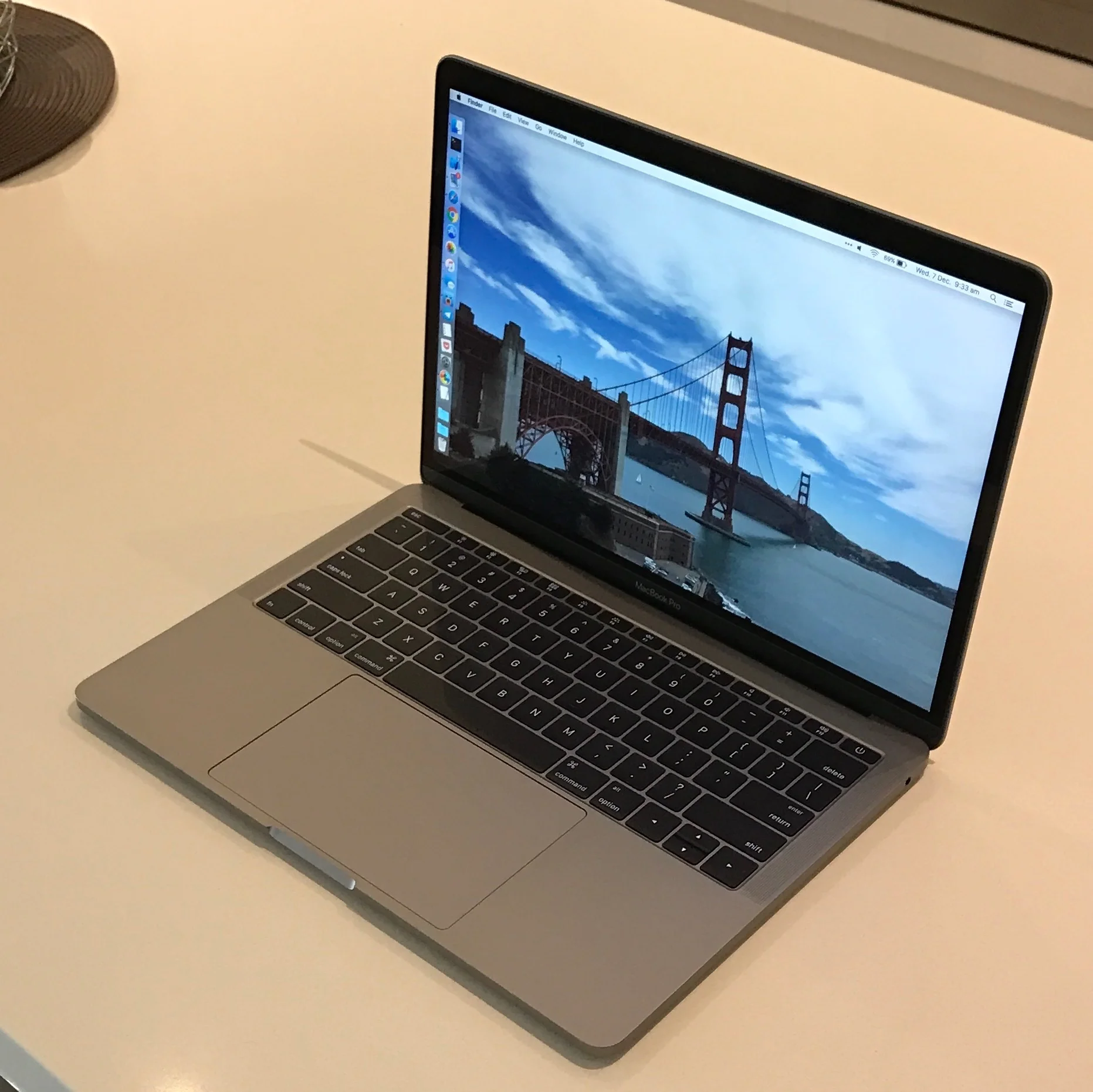
There isn’t too much to say about the overall design of the machine, other than it feels great. As someone for whom the 12” MacBook is just a tad too small, this machine feels like an appropriate tradeoff between thinness/lightness and a comfortable amount of screen real estate. The weight, in particular, is an advantage, as this machine will come with me to and from uni for the next few years, and when taking 10000+ steps a day with a laptop in your bag, lighter is definitely better. As a part of cutting down on the weight of the machine, the bezels both around the keyboard and screen are noticeably smaller on this laptop than my old one. The screen is the same size, but it feels smaller overall, and that’s an improvement.

Battery

As alluded to earlier, battery life was a critical feature when deciding what model MacBook Pro to buy. The MacBook Escape is really more of a MacBook Air replacement than a Pro, and I’m perfectly okay with that. The lower power 15-watt CPU combined with a 10% larger battery seemed to make the most sense as far as battery life concerns go, and I must say it hasn’t disappointed yet. It’s only been in use for a few days, but I’m getting between 8-10 hours of usage on an average load with rather high screen brightness. When it comes to more processor-intensive work such as working with Xcode’s simulator, the battery takes a noticeable hit but this would be the case with any machine. At this point, anything above the 3-4 hours I could get with my old laptop feels incredible. Not having to worry about bringing a power cord when I take this MacBook Escape out of the house sure is a nice change!
USB-C and Thunderbolt

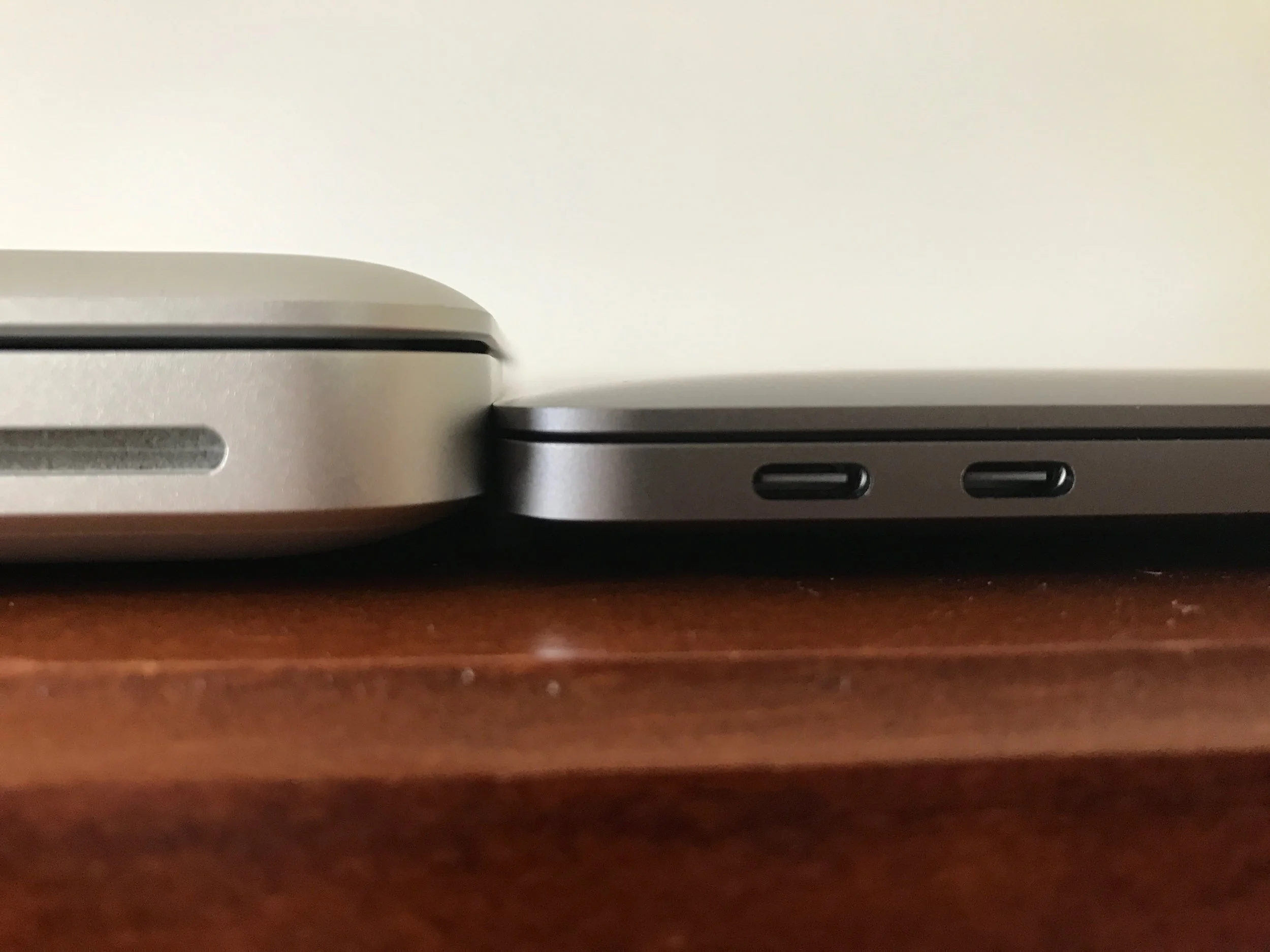
The MacBook Escape comes with two USB Type-C/Thunderbolt 3 ports, while all other 2016 MacBook Pro models come with four. This has been a controversial decision, as although the ports are versatile, there aren’t many compatible accessories. This should change in the coming months led by Apple’s decision to including nothing but these ports on the new MacBook Pros. Personally, I don’t find it to be a huge hassle. The only accessory I needed to buy was a single USB-C to USB-A adapter so as I can still continue to plug in my external Time Machine backup hard drive. I might occasionally use it to plug in and charge my iPhone while on the go, but I haven’t had to use it for that yet. It would've been nice if Apple had included this adapter in the box with the laptop, as I'm sure a majority of buyers will find a need for such a product. Other than that, I seldom need to get data off of a USB thumb drive that it doesn’t bother me. The only other port I used on my old machine was the Thunderbolt 2 port to plug into an external monitor, but once the external 4K LG display I’ve ordered arrives, I’ll be able to connect it directly to a Thunderbolt 3 port and that won’t be an issue.

USB-C / Thunderbolt 3

USB-C / Thunderbolt 3

Bye-bye MagSafe

MagSafe was fantastic. I can’t possibly mention it here without singing its praises. There’s nothing wrong with a USB-C connector per se, but it does feel like a step back from MagSafe which was a virtually indestructible means of charging your Mac. Pro tip: Try not to trip over the USB-C charging cable, I don’t imagine the results will be pretty. For what it’s worth, the MacBook Escape seems to charge impressively fast. I’m not sure if it relates to the USB-C connection, something to do with the battery, or whether it’s just my imagination, but it feels fast when charging.

Apple Watch unlock

There is one feature I like so much about this new laptop and that is the Auto Unlock with Apple Watch. This is a new feature in macOS Sierra + watchOS 3, and I’m pleasantly surprised as to how well it works. Having bought the MacBook Escape, this means no Touch ID, so Auto Unlock is the next fastest way to unlock this Mac. I’ve heard of mixed results with this feature on Twitter, but in my experience over the last few days it's worked all but once (and I believe the failure was because my phone was too far away - presuming the wireless communication goes from Mac —> Phone —> Watch, but don’t quote me!) It’s definitely a faster way to unlock the MacBook Escape than typing in my password would be.

Wrapping up

It’s been only a few days, but I love using the MacBook Escape already. The design improvements are significant, the machine has all of the performance I require, and the newer MacBook Pro hardware features such as the Retina screen is a nice touch that improves the overall experience of using this laptop. If all goes to plan, this will be the laptop I continue to use throughout my remaining three years of University, and it would appear as though it's more than capable of fulfilling that plan. The new MacBook Pro lineup has been a long time coming, and I know many of us were getting impatient towards the end of the wait. This computer won’t be a radical upgrade for most but it is an improvement in enough small areas that it’s a worthwhile upgrade for many - especially those who feel as though their current Mac laptop has seen better days.

Why? New rules and road safety.

It is the job of a government in this great democracy to make and change laws that are in the best interest of their citizens. Inherently this is a good thing.

Driving is a dangerous activity. Humans just aren’t very good at it. Safety should be paramount. There are solutions, and self-driving cars will be transformative both for safety and efficiency, but they’re a fair way off. Already this calendar year there have been 333 deaths on NSW roads, which is almost as high as the 340 in total during all of 2015. A leading contribution to increasing road tolls is mobile phone usage, and other forms of distracted driving.

As of next month, the NSW road safety commission are introducing a new rule for P2 (green P plate) drivers:

From 1 December 2016: P2 licence holders must not use any function of a mobile phone while driving or riding, or when stationary but not parked.

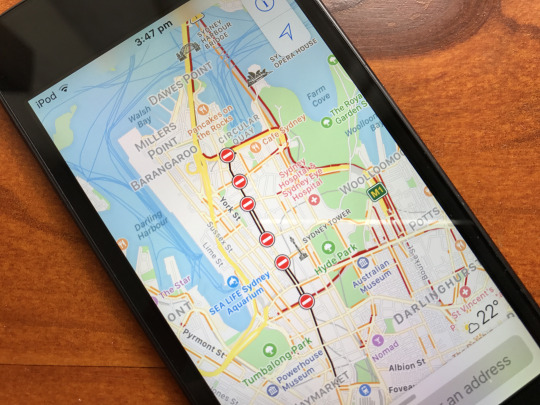
As a P2 driver for at least the next twelve months, this rule impacts me in many ways. But here’s the thing - I use my mobile phone in a way while driving that increases my safety on the road. I don’t use it for phone calls, text messages, or Tweeting, but instead only use the GPS/maps functionality. The current law states that a P2 driver is not allowed to touch his or her mobile phone, but it is allowed to be used for navigation. This is, in fact, more safe and more convenient than the alternative. Safer because my only job while driving is ensuring that I don’t crash the car. Use of a mobile phone as a GPS allows the driver to focus on what they need to, and not get caught up too much in the route when travelling to an unknown location. I don’t like driving at the best of times, and this rule will only add to my own stress on the road as I now need to be on top of navigation too.

There are a couple of “solutions” that aren’t as great as they may first seem:

  • Use a UBD. Yeah, that’s right. That old printed book thing with maps in it. Not only do they become outdated very quickly, but they’re also a downright danger to look at while driving. “Well pull over and read it!” I hear you say. Sure, but that’s a step backwards from having my phone yell directions at me as I drive around. Hello, 1990.

  • Buy a standalone GPS. They aren’t illegal for a P2 driver to use. This is true and is the “solution” that I will ultimately choose. But why? Why is this the solution? A standalone GPS device is also a step backwards from using a mobile phone. There’s still a screen to potentially be distracted by, albeit without the notifications streaming in.

When I use my mobile phone as a navigation device while driving, I don’t doubt its accuracy. It’s never failed to direct me somewhere, including times when it feels like I’ve driven to Narnia and back. I know that the maps on my mobile phone are always up to date - and they get better each day. They’re extremely reliable. GPS units are difficult to update, which discourages people from ever doing so. This can lead to out-of-date maps which in and of themselves can be a danger if they misguide you. If a GPS started taking me a route I knew was incorrect, but I didn’t know the area well enough to correct it, I’d panic. Remember, the only drivers affected by this rule change are young and inexperienced, and hence less likely to be familiar with different roads.

Another thing is, a mobile phone that’s mounted on the dashboard or front window of a car is in a position that’s difficult for the driver to touch and/or manipulate. This means they’re unlikely to try and send a quick text, or any other dangerous use of the phone while driving. If a GPS is mounted instead, and the driver’s phone is within arms reach, they’re probably more likely to try and use their phone while driving. Allowing use of a phone as a mounted GPS would surely be safer in that regard.

It comes down to safety, and convenience. It’s the government’s responsibility to reduce injuries and fatalities on the road, and while reducing mobile phone use by drivers is a good thing, safe, responsible young drivers such as myself are hugely disadvantaged. As someone who relies on their phone for navigation when driving, the alternatives aren’t as reliable, and in turn, have the potential to decrease the safety of myself and others while we drive. The alternatives aren’t as reliable, nor as convenient, and every time I have to drive somewhere unknown after December 1st I will be slightly more anxious than I already am in these scenarios. This new rule only impacts responsible drivers, and yet the ones who do make dangerous decisions on the road (like allowing themselves to be distracted by a mobile phone) will continue to do so. We need to do everything we can to ensure drivers “get their hand off it,” but this isn’t the right way to go about it.

The Touch Bar mistake

Alt text

This morning at a special event Apple introduced what they believe to be the next big thing in laptop computing. A majority of the introduction of the new MacBook Pro was spent focused on its new Touch Bar.

I’m in the market for a new laptop. My current 2012 non-Retina MacBook Pro is starting to show its age and is significantly thicker and heavier than the new MacBook Pro which isn’t so great for carrying it around Uni.

Prices were raised across the board, and while I’m not happy about that, I won’t focus too much on why that’s bad. Simply put, previous MacBook Pro prices reflected the “Pro” part of the device already, and any increase now is just too much. Fortunately, they’ve released a “cheaper” model, which is still more pricey than the previous generation entry-level MacBook Pro, without the Touch Bar.

Regarding the Touch Bar, honestly, I don’t see much use for it at the moment. Its best feature at the moment is Touch ID for unlocking the MacBook Pro. This isn’t to say that it’ll remain this way, though. As developers implement the API, and as Apple introduce new updates to macOS we may very well see some cool uses for the Touch Bar that can’t be imagined right now. This is a big “if.” I’m torn between purchasing the base model with the Touch Bar or upgrading the model without the Touch Bar - 16GB RAM / 512GB internal storage is very appealing.

Back in 2012 when I bought my current non-Retina MacBook Pro, I talked myself out of the Retina model because of the cost savings. That’s something I’ve since regretted, as I’ve come around to not only the benefits of a Retina display but also the advantage of the thinness and lightness of the machine I didn’t buy. It was a mistake to not buy the best computer I could’ve at the time. And I’m worried that’ll happen again here if I purchase the new MacBook Pro without the Touch Bar. I mightn’t miss the Touch Bar for the first couple of years, but this laptop is likely something I’ll own for 4+ years and the Touch Bar may have increased significance in the future. One argument I’m using to talk myself out of it is that ~50% of my usage involves having my MacBook Pro connected to an external monitor with MacBook Pro out of reach, so I won’t be able to use it half of the time anyway. Right now I’m conflicted, and I just am hoping I won’t look back in a few years and say, “Well that was a mistake,” just like has happened by not purchasing a MacBook Pro without a Retina display.

Fortunately, I have a few months to make this decision. It’s a lot of money to spend, and I want to make the right one. My indecision will undoubtedly be expressed via Twitter if you’d like to follow along. 🙂

I like it. Google being in the hardware game is only a good thing. I’m not a fan of Samsung and what they do with their phones, so having a phone completely designed and controlled by Google is good for consumers and the Android platform. It’s also good for Apple. Improvements to Android and also Android software only push Apple and iOS forward, and vice-versa. It’s an interesting decision to position it directly as an iPhone competitor - something Google haven’t done before. Samsung have done this previously but only with their high-end phones. This might be their biggest problem though: it’s the same price as the iPhone 7 and the iPhone 7 is a far more attractive phone. We’ll see how it sells once it’s release, but Google sure are expecting this phone to sell well based off of their huge marketing push over the last ~30 hours since the announcement.
— My response when asked to comment on the new Google Pixel smartphone announced yesterday. Tl;dr I like it more than anything Samsung have ever done.

What a Time to Be Alive

What a time.

This phrase is repeated constantly throughout Mark Di Stefano’s 2016 political campaign diary.

If you religiously followed #AusPol and/or #AusVotes for the gruelling eight weeks of the campaign, then this is a must-read that provides plenty of insights into life on the road as a political journalist, as well as many behind-the-scenes tidbits about the campaigns run by both Malcolm Turnbull and Bill Shorten.

There has never been a better time to read this book.

Five years already

Wow. Five years, huh?

I sure remember where I was when I got the news. And like millions of others, the news was delivered through a handheld supercomputer which he helped bring to life. Apple products have, quite literally, changed the world and had an impact on billions of people - for good and for bad. Would our world, our society, our culture be the same without Steve Jobs? No way.

To end, here are a few of my favourite quotes by Steve:
  • “Design is not just what it looks like and feels like. Design is how it works.”
  • “What a computer is to me is the most remarkable tool that we have ever come up with. It’s the equivalent of a bicycle for our minds.”
  • “Your time is limited, don’t waste it living someone else’s life.”
  • “Here’s to the crazy ones.”
  • “Stay hungry. Stay foolish.”

Daily Steps 4.0

Version 4.0 of Daily Steps is here, and it’s quite the update.

WHAT’S NEW 

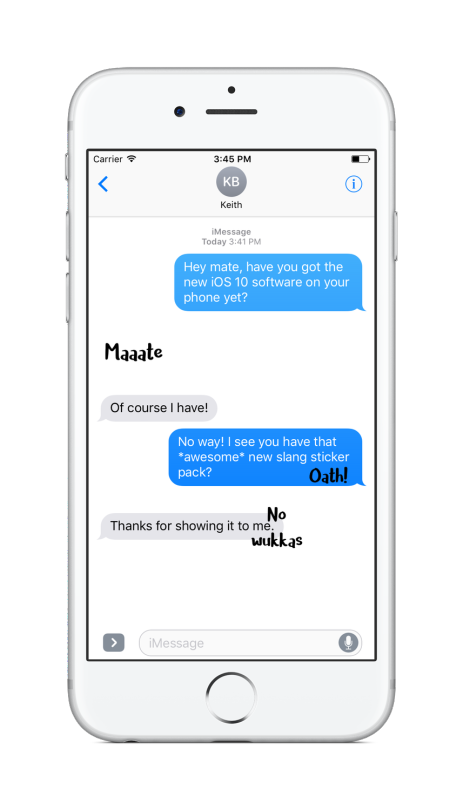
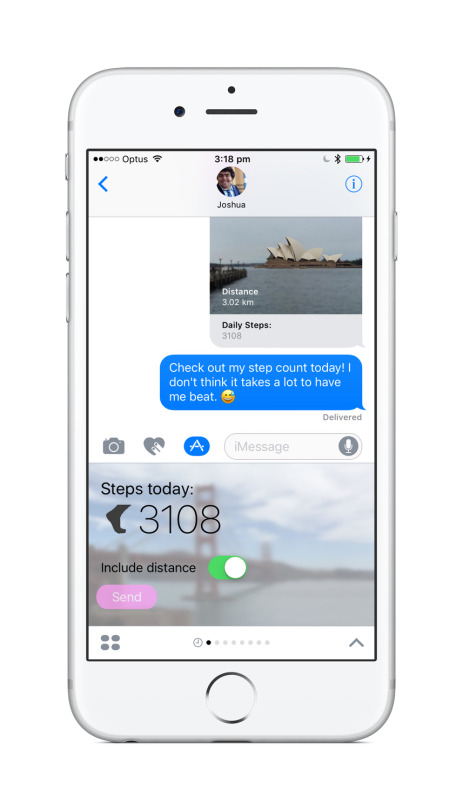
- iMessage app. Share your step count with friends in a fun, customisable way. 

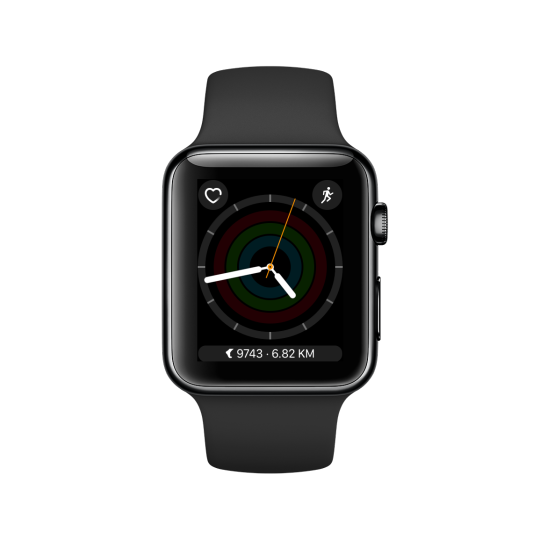
- Apple Watch complications. See your step count at a glance - anytime, anywhere, from any watch face. 

- Support for background app refresh in new versions of watchOS 3. Daily Steps will periodically update in the background resulting in faster load times and quicker access to your step count.

Check it out on the App Store 👉 https://itunes.apple.com/au/app/daily-steps-simple-step-counting/id720629415?mt=8

Headphone jack

Alt text

Tomorrow, Apple are holding a ‘Special Event’ at the Bill Graham Civic Auditorium for what is widely believed to be the unveiling of the iPhone 7, and Apple Watch 2 with new bands. It is, of course, also the event where we’ll hear more about the release of iOS 10, tvOS 10, watchOS 3, and macOS Sierra.

Honestly, I’m still undecided on whether to upgrade from my iPhone 6. The iPhone 7 isn’t shaping up to be very exciting, and really the only thing it’s missing is 3D Touch - which is exciting but not a justification to buy a whole new phone. Quite frankly, I just want a new MacBook Pro but there are strong reports which say the Mac won’t be mentioned tomorrow, and we’ll likely have to wait until the end of October. Apple are making it incredibly difficult for me to give them money, but whatever. The non-Retina screen I’m looking at as I type this is burning my eyes, but that’s cool Apple. You take your time. I’ll wait. Others have speculated as to how and when they’re going to be announced. I’d love for them to be announced tomorrow, and a release date set (even if it’s for much later in the year). At least then we’d know what we’re getting, and when.

The real topic of controversy this year is the rumoured (but almost certain) removal of the headphone jack from this next-generation iPhone. The best explanation I’ve heard floating around - and the one I agree with most - is that it’s happening this year to get the fuss out of the way. Any significant change Apple make to a product, especially the iPhone, will undoubtedly get a lot of media attention. By making it the focus of the 2016 iPhone, Apple are able to offer a significantly redesigned iPhone in 2017 with the hope of no negative press coverage. It’s a smart way to get all of the complaints out of the way early, on an iPhone that won’t prove significant in the history of the product. News moves fast, and no one will care about the removal of the headphone jack by the end of this year. Perhaps even by the end of this month.

So how will you listen to audio on your iPhone 7? I’m going to assume for the sake of this post that the iPhone 7 will come with earphones that plug into the Lightning port of the iPhone (the port you currently use for charging), and that Apple will heavily push the sale of wireless (most likely Bluetooth) earphones. There will also be some kind of adapter that you can plug into the Lightning port to use existing earphones with a 3.5mm headphone plug if you so desire. Whether or not this comes in the box remains to be seen.

I’ve stayed relatively mute on this topic ever since the rumours became loud earlier this year, simply because I don’t care. I’m neither for nor against its removal. It sincerely doesn’t bother me. If the headphone jack stays, cool. If it doesn’t, also cool. I’ll live, and so will you. It’s not what you’d believe if you read Twitter, or were closely in tune with the tech media, but I honestly don’t care, and don’t think many others outside of these circles do either. The frequency and reliability of reports saying it’ll be removed make it pretty obvious this was a controlled leak by Apple, to ease us into the idea over the last six months, without springing it on us tomorrow. Considering the fuss in the media thus far, I was surprised the first my mum heard of the removal was this past weekend. It surprised her, but only took a 20 second explanation and she understood why it’s probably going to be removed and was fine with it.

As little as I care, it’s important to think about the implications for the community as a whole. After all, the iPhone is a device used by upward of 40% of people in developed countries, and is the single best selling phone. As someone who catches public transport frequently, I’m always looking around to see how people are using their tech, and I’d say 80% of people fit into one of two categories - they either use the earphones that are included in the box with their smartphone, or they’re using Bluetooth earphones. Common brands of Bluetooth headphones include Bose, Sony, and Jaybird. The removal of the headphone jack won’t have an impact upon these people at all. They’ll buy the iPhone 7, and either pull out the earphones in the box and start using them, or they’ll pair their existing Bluetooth headphones and be done with it. This doesn’t leave a great number of people impacted by the change. As for everyone else? Well, I’m sure they’ll either be able to buy an adaptor for a few bucks, buy a new pair of Lightning earphones (which will undoubtedly soar in popularity after this month), or take the plunge and buy some Bluetooth earphones. Similar to the transition between the 30-pin dock connector and Lightning, we’ll all have forgotten the 3.5mm headphone port was a thing before long.

The removal of the headphone jack will anger many, but it’s important to remember this change is inevitable. Any change to the iPhone will make people angry, but all in all this change isn’t as significant as you’ve been made to believe. Remember, most people don’t care. They’re going to buy the iPhone 7, use the lightning earphones that come with it, and get on with their life.